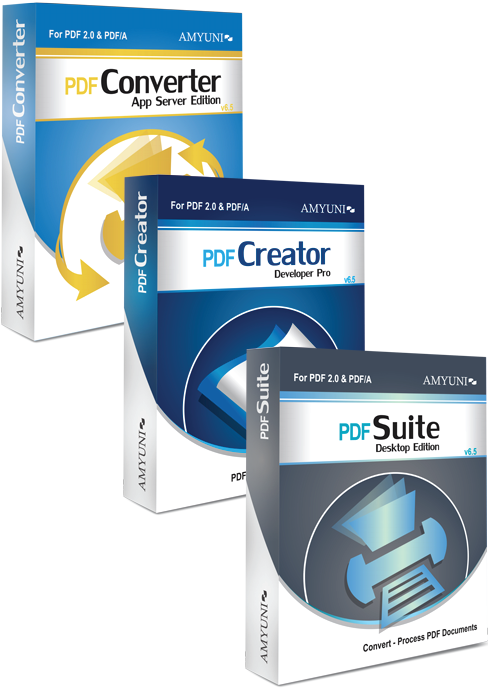
PDF
Suite v3.0
for .NET
PDF
Suite provides all the functionalities and features of
PDF Converter and PDF Creator .NET in one product, for
integration into the developer’s application. PDF
Converter is a tool that can be used to convert from existing
documents
from virtually any Windows® application to PDF format.
PDF Creator is designed to create new documents, forms
and reports or edit documents already in PDF format. Together – imagine
the possibilities.
PDF
Suite .NET is based on our internal developments and does
not rely on external libraries such
as Ghostscript.
Licensing and distribution are hassle-free and developers
are not required to license any external technology in
order to distribute our tools.
|
|
-
XPS
document support: Now supports loading XPS documents
and exporting documents into XPS format.
-
FDF:
Now supports loading FDF documents that contain
data associated with a main PDF document.
-
Support
for loading documents containing JBIG2 and JPEG2000
compressed images.
-
Tagged
PDF: Create structured PDF documents as defined
by the PDF specifications. Structured PDFs are
easier to edit or export into other applications.
-
PDF/A:
Create PDFs that comply with the PDF/A ISO Standard.
-
Unicode
and CID font embedding now enable support for
a wider range of fonts including asiatic fonts.
-
Plus
a wealth of improved features as detailed in
the new documentation.
|
>> Download our Free 30-Day Trial for .NET Developers
| PDF
Converter - Main Features |
|
-
Support
for the new Microsoft Vista operating
system.
-
Convert
any document into PDF format using the PDF Converter
virtual printer driver.
-
Automated
and easy installation of the PDF printer on
the end-user’s system without any user
intervention.
-
High
performance and reliability. Create
PDF documents in a fraction of the time needed
with other tools.
-
Operates
in multi-threaded environments and
with service applications under Windows NT®/2000/XP/2003.
Ideal for Web, Intranet and Terminal Servers
with or without Citrix.
-
.NET
interface classes allow the developer
to:
-
Automate the conversion process by setting the
output file name and
various other options without user interaction.
- Intercept various events sent by the PDF printer when documents are
generated.
-
Generate
PDF/A compliant files (requires version 2.51
and higher).
-
Ability
to generate CMYK coloured PDF files for
printing purposes.
-
Direct
JPEG and PNG output from Office applications
improves conversion speed.
-
Resulting
PDF document can be previewed either while being
generated or after the conversion is completed.
-
Developers
are able to configure the PDF Converter to allow
them to redirect the data stream to
process the data or to define a destination other
than saving to file or sending via email.
-
Developers
can modify the user interface language
dynamically (English, French, German,
Italian, Spanish, and Japanese)
|
| PDF
Creator - Main
Features |
|
-
View,
edit, annotate and print PDF
documents.
-
Fill-out
and create PDF forms, documents and
reports.
-
Fast
and lightweight .NET class library and
set of controls with small footprint make it
easy to distribute with applications.
-
Edit
and print PDF documents programmatically
without any user interaction.
-
Support
for various types of form objects and annotations
such as edit-fields, check-boxes, sticky-notes,
highlighters, and more.
-
Advanced
printing features such as:
- print pages to specific trays
- print specific pages of a document
- create a single print job from multiple PDFs
- print multiple pages on a single sheet of paper
-
Ability
to do paragraph editing with reflow,
this is important due to the nature of PDF files
that are otherwise not easily editable.
-
Compression
of images, graphics and text heavily
reduces the size of the resulting PDF file.
-
Search/Replace capabilities
from the user-interface or programmatically.
-
Saving
documents page by page makes it possible to create
very large documents without consuming a large
amount of memory.
-
Ability
to open a PDF document as a background or template
for the main document.
-
Define
your own object types that are completely
managed outside of the PDF Creator.
-
Render
parts of a PDF document to a device context created
by the calling application.
|
| PDF
Suite .NET (Converter and Creator) - Security Features |
|
The
professional version of PDF Suite provides the following
security features:
- PDF
documents can be secured using either 40-bit
or 128-bit encryption algorithms to
prevent them from being viewed, modified or even
printed.
- PDF
documents can be digitally signed using
any valid certificate installed on the
end-user’s
system
|
| PDF
Suite .NET (Converter and Creator) - More Features |
|
-
PDF
documents can be optimized for downloading through
the web, also known as PDF linearization.
-
Create
PDF, RTF, HTML, JPEG, TIFF and Excel documents
using the same interface.
-
Automatic
generation of hyperlinks and bookmarks by
analyzing document content.
-
Set
various document properties such as title, subject,
author, and more.
-
Merge
and concatenate or append PDF documents.
-
Enhanced
functions for adding, inserting, deleting and moving
pages.
-
Documents
containing images can be compressed using a variety
of image compression techniques such as JPEG, CCITT
Fax, grayscale, down-sampling, removal of duplicate
images, and more.
-
Multi-national
character sets are supported. These include Eastern-European,
Middle-Eastern and Far-Eastern languages.
-
TrueType® and
Type1 (Postscript) fonts can be fully or partially
embedded in the PDF document to ensure perfect
portability.
-
PDF
documents can be watermarked using either a simple
text string or another PDF file.
-
PDF
documents can be emailed directly using any MAPI
or SMTP-compliant mailing systems as opposed to
being saved on disk for later e-mailing.
-
PDF
documents can be archived directly into ODMA enabled
document management systems (DMS).
|
>> Download our Free 30-Day Trial for .NET Developers
Features Pricing Updates Subscriptions Download
Trial
|